
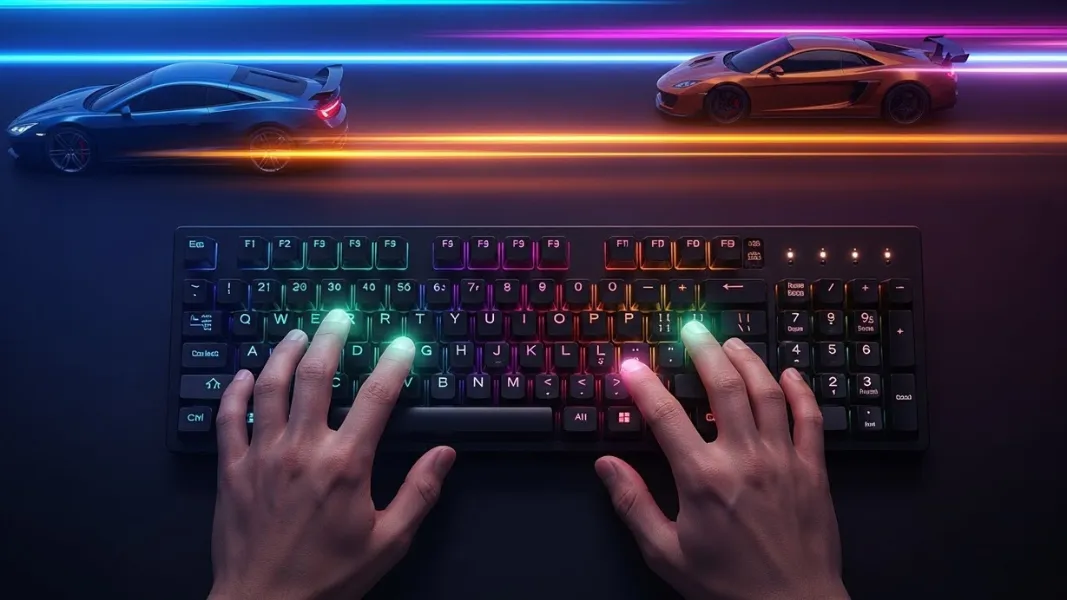
In the modern world, the keyboard is the primary way we communicate. We use it to write emails, complete school assignments, and perform office tasks. Being a slow typist can hold you back. It makes every project take longer than it should. If you want to be more productive, learning how to improve your typing speed is one of the best investments you can make.
Many people believe that they are stuck with their current speed. They think that some people are just born with fast fingers. This is a common myth. Typing is a mechanical skill, just like playing an instrument or a sport. Anyone can get faster with the right techniques and a bit of patience. The goal is to move from “hunting and pecking” to a professional level of speed and accuracy.
This guide will explain the steps you need to take to boost your Words Per Minute or WPM. We will look at the science of muscle memory and the importance of physical comfort. We will also talk about the best ways to practice without getting bored. If you follow these steps, you will see a major difference in your keyboarding skills in a very short time.
Key Takeaways
- Touch typing is the foundation of high speed keyboarding.
- Correct posture prevents fatigue and increases your finger reach.
- Accuracy is the most important factor in building long term speed.
- Using the home row correctly allows your brain to map the keyboard.
- Consistency is more effective than long, infrequent practice sessions.
- Looking at the screen instead of your hands is required for progress.
- Rhythmic typing helps maintain flow and reduces mistakes.
- Ergonomics and hand health are vital for avoiding injury.
Why is typing speed important for your career?
Most jobs today involve using a computer. Whether you are a programmer, a teacher, or a manager, you spend hours at a desk. If you type thirty words per minute, you are working much slower than someone who types sixty. Over a full year, a fast typist saves hundreds of hours. This time can be used for more important tasks or for resting.
Employers value speed because it represents efficiency. A fast typist can handle a higher volume of work without feeling stressed. It also shows that you are comfortable with technology. Digital literacy starts with the keyboard. When you can type fast, you can keep up with your thoughts. You do not lose your best ideas while searching for a specific key.
Being a fast typist also gives you a competitive edge. In a fast paced office, the person who can reply to emails and draft reports the quickest is often the most successful. It is a quiet skill that makes every other part of your job easier. It is a professional advantage that stays with you for your entire life.
What is the secret of touch typing?
Touch typing is the method of using all ten fingers without looking at the keyboard. This is the only way to reach speeds above fifty words per minute. When you look at your hands, your brain has to constantly switch focus. You look at the screen, then the keyboard, and then back to the screen. This cycle is slow and causes mental tiredness.
The secret to touch typing is muscle memory. Your brain stores the location of every key as a physical movement. Instead of thinking “where is the letter T,” your finger just moves to the right spot automatically. This allows you to focus entirely on the words you are writing. Your hands become an extension of your thoughts.
Learning touch typing requires you to trust your fingers. In the beginning, you will move much slower than you did before. This is the stage where many people give up. However, if you stick with it, your speed will eventually explode. You will break through the ceiling that “hunting and pecking” creates.
How should you position your body for better speed?
Your physical setup has a massive impact on your typing performance. If you are slumped over or sitting on a couch, your fingers cannot move freely. Good posture starts with your chair. You should sit with your back straight and your feet flat on the floor. Your elbows should be at a ninety degree angle.
Your wrists should be in a neutral position. Many people make the mistake of resting their wrists on the desk while they type. This creates pressure on the nerves and slows down your fingers. Instead, your wrists should float slightly above the keyboard. This allows your fingers to reach the top and bottom rows with ease.
The height of your monitor is also important. It should be at eye level so you do not have to tilt your head down. When your body is aligned correctly, you experience less pain and fatigue. This allows you to practice for longer periods without losing your accuracy. Ergonomics is the foundation of high performance typing.
Why is accuracy more important than raw speed?
Many people try to type as fast as possible and ignore their mistakes. This is a mistake that will stop your progress. In any professional setting, accuracy is king. If you type one hundred words per minute but make ten errors, you have to go back and fix them. This takes more time than if you had typed seventy words per minute with no errors.
Accuracy also builds the right muscle memory. Every time you hit the wrong key, your brain gets confused. You are essentially “training” your fingers to make mistakes. If you focus on being one hundred percent correct, your brain learns the right patterns. Once the patterns are perfect, the speed will naturally follow.
When you practice, you should aim for at least ninety eight percent accuracy. If you fall below that, you should slow down. There is a saying that “slow is smooth, and smooth is fast.” By being careful and deliberate, you are building a foundation for incredible speed in the future.
How do you use the home row correctly?
The home row is the middle row of your keyboard. For your left hand, the home row keys are A, S, D, and F. For your right hand, they are J, K, L, and the semicolon. Almost every keyboard has small bumps on the F and J keys. These are there so you can find your position without looking down.
You should always return your fingers to the home row after hitting a key on the top or bottom row. This gives your brain a fixed “anchor” point. From the home row, every other key is just a short distance away. This minimizes the amount of movement your hands have to make.
Using the home row also ensures that you are using all ten fingers. Most untrained typists only use two or three fingers on each hand. This is very inefficient. By using the home row system, you distribute the work across all your fingers. This reduces the strain on any single finger and allows for much higher speeds.
What are the best tools and games for practice?
Practicing with a plain word processor can be very boring. Luckily, there are many free tools designed to make typing fun. Sites like Nitro Type turn typing into a competitive race. You can compete against real people and earn rewards. This keeps you motivated to keep practicing every day.
For more technical practice, sites like Monkeytype or Keybr are excellent. These tools analyze your performance and tell you which keys are your weakest. They can provide custom drills that focus on your specific mistakes. This targeted practice is much more effective than just typing random paragraphs.
You should use a variety of tools to keep things interesting. Use a racing game when you want a challenge. Use a technical tool when you want to improve your accuracy. Mixing up your routine prevents burnout and helps you stay engaged with your goals.
How can you build a consistent practice routine?
Consistency is the most important part of learning any new skill. It is much better to practice for fifteen minutes every day than for two hours once a week. Your brain needs regular repetition to build strong neural pathways. Short, daily sessions keep the movements fresh in your mind.
You should try to practice at the same time every day. This helps turn typing into a habit. You might practice for ten minutes before you start your work or school day. Or, you might do a few races on Nitro Type during your lunch break. The key is to make it a regular part of your life.
Do not get discouraged if you do not see progress every day. Typing speed often stays the same for a while and then jumps up suddenly. These are called “plateaus.” When you hit a plateau, it means your brain is busy solidifying its current skills. Keep practicing, and you will eventually break through to the next level.
Why should you stop looking at the keyboard?
Looking at the keyboard is the biggest barrier to speed. Even if you can find the keys quickly, you are wasting time moving your eyes up and down. To reach professional levels, you must force yourself to look only at the screen. This is a difficult habit to break, but it is necessary.
If you find it too hard to stop looking, you can try a few tricks. You can cover your hands with a towel while you type. You can also buy a “blank” keyboard or put stickers over the letters. These methods force your brain to rely on touch instead of sight.
Once you stop looking at your hands, your brain starts to build a spatial map of the keyboard. You will notice that you start to “feel” where the keys are. This is a major milestone in your journey. Once you trust your hands, your speed will begin to climb rapidly.
How do physical stretches help with typing performance?
Typing is a physical activity that involves small muscles and tendons in your hands and wrists. If these muscles get tight, your speed will drop. Taking breaks to stretch is essential for maintaining high performance. It also helps prevent long term injuries like carpal tunnel syndrome.
A simple stretch is to extend your arm and gently pull your fingers back toward your wrist. You can also make a fist and then spread your fingers as wide as possible. Doing these movements for a minute or two every hour can keep your hands feeling light and fast.
You should also pay attention to your breathing. Many people hold their breath or breathe shallowly when they are trying to type fast. This creates tension in the shoulders and neck. If you stay relaxed and breathe deeply, your fingers will move more fluidly. A relaxed body is a fast body.
What role does rhythm play in faster keyboarding?
Rhythm is the secret weapon of the fastest typists in the world. Instead of typing in fast bursts and then pausing, they maintain a steady beat. This is called rhythmic typing. It helps prevent your fingers from getting “jammed” when you hit a difficult word.
When you have a steady rhythm, your brain can anticipate the next key more easily. It creates a smooth flow of movement. You can practice this by using a metronome or listening to music with a steady beat while you type. Try to time your keystrokes to the rhythm.
As you get faster, your rhythm will naturally become more complex. You will start to type common letter combinations, like “the” or “ing,” as a single rhythmic unit. This is the highest level of typing skill. It turns individual letters into musical patterns that your fingers can perform with ease.
Conclusion
Improving your typing speed is a journey that requires discipline and the right strategy. By mastering touch typing, focusing on accuracy, and maintaining good posture, you are setting yourself up for success. It is not about how fast your fingers can move, but how well your brain can communicate with your hands.
The tools and techniques mentioned in this guide are used by the best typists in the world. Whether you are racing on Nitro Type or doing drills on Keybr, the goal is the same. You want to make the keyboard an invisible part of your creative process. When you no longer have to think about the keys, you are free to do your best work.
Start your practice today. Be patient with yourself during the early stages. Remember that every race and every drill is making you a better, more efficient person. With consistency and focus, you will be amazed at how fast you can truly go.