
Typing is a skill that most people use every single hour. We send text messages and write long reports for work. We search for information online and chat with friends. Because we type so often, we often develop bad habits without realizing it. These habits lead to frequent mistakes. Every time you make an error, your progress stops. You have to find the mistake and hit the backspace key. Then you have to type the word again.
Many people think that making mistakes is just a normal part of using a computer. However, frequent errors are a sign that something is wrong with your technique. These mistakes do more than just slow you down. They cause frustration and mental fatigue. If you are constantly fixing typos, you cannot focus on your creative thoughts. Your brain stays busy with the mechanical act of correcting letters.
The good news is that almost all typing mistakes can be fixed. You do not need a special talent to be an accurate typist. You simply need to understand why these errors happen. By identifying your specific weak points, you can train your brain to avoid them. This guide will explore the most common mistakes people make at the keyboard. We will also provide clear steps on how to move toward a more perfect and faster typing style.
Key Takeaways
- Looking at your hands prevents the development of muscle memory.
- Poor posture and wrist placement lead to physical strain and more typos.
- The home row is the essential anchor for all accurate touch typing.
- Overusing the backspace key creates a cycle of speed and error.
- Uneven rhythm causes fingers to get tangled on difficult words.
- Swapping letters or “transposition” is often caused by rushing.
- Resting your wrists on the desk reduces your fingers’ range of motion.
- Consistent short practice sessions are better than long and rare ones.
Why do most people make typing mistakes?
Most typing errors start with a lack of formal training. Many people taught themselves how to type. They use a method where they look at the keys and use only a few fingers. This is often called the hunt and peck method. While this works for simple tasks, it is very prone to errors. Your eyes have to constantly move between the screen and the keyboard. This movement makes it easy to lose your place.
Another reason for mistakes is trying to move too fast. Everyone wants a high Words Per Minute score. However, speed is useless if the text is full of errors. When you push your fingers to move faster than your brain can process, the signals get crossed. This leads to hitting the wrong keys or missing letters entirely. Accuracy is the foundation that speed is built upon.
Finally, stress and tension play a big role. If you are in a rush to finish an assignment, your body tenses up. Your shoulders rise and your fingers get stiff. Stiff fingers do not move as accurately as relaxed ones. Learning to stay calm and loose at the keyboard is a major part of reducing your error rate.
Is looking at the keyboard a major error?
Looking at your hands is perhaps the most common mistake of all. It feels safe because you can see exactly where the keys are. However, this habit prevents your brain from learning the physical layout of the keyboard. True touch typing relies on muscle memory. Your brain needs to know the distance between keys without any visual help.
When you look down, you cannot see the screen. This means you might type an entire sentence before realizing you made a mistake at the beginning. This wastes a lot of time. If you keep your eyes on the screen, you will see the error the moment it happens. You can fix it instantly and keep your flow.
To avoid this mistake, you must trust your fingers. It will feel very slow at first. You might feel a strong urge to look down. You must resist this urge. You can even cover your hands with a small cloth to force yourself to look at the monitor. Once you break the habit of looking down, your accuracy will start to improve significantly.
How does poor posture lead to more typos?
Many people do not realize that their back and shoulders affect their fingers. If you are slumped in your chair, your arms are at a bad angle. This makes it harder for your fingers to reach the top and bottom rows of the keyboard. If you have to reach further, you are more likely to hit the edge of a key or the wrong key entirely.
Good posture involves sitting with your back straight and your feet flat. Your elbows should be at a ninety degree angle. This alignment allows your nerves to send signals to your fingers without any interference. It also prevents your muscles from getting tired too quickly. A tired hand is a clumsy hand.
You should also pay attention to the height of your desk. If your keyboard is too high, your wrists will bend upward. This is a very common cause of mistakes and wrist pain. Your wrists should be straight and neutral. Think of your hands as floating over the keys rather than resting on the desk. This freedom of movement is essential for precision.
What are the dangers of overusing the backspace key?
The backspace key is the most used key for many people. While it is helpful for fixing errors, it can also become a crutch. If you know you can always fix a mistake, you might become lazy with your accuracy. You might start typing as fast as possible and simply plan on hitting backspace every few seconds.
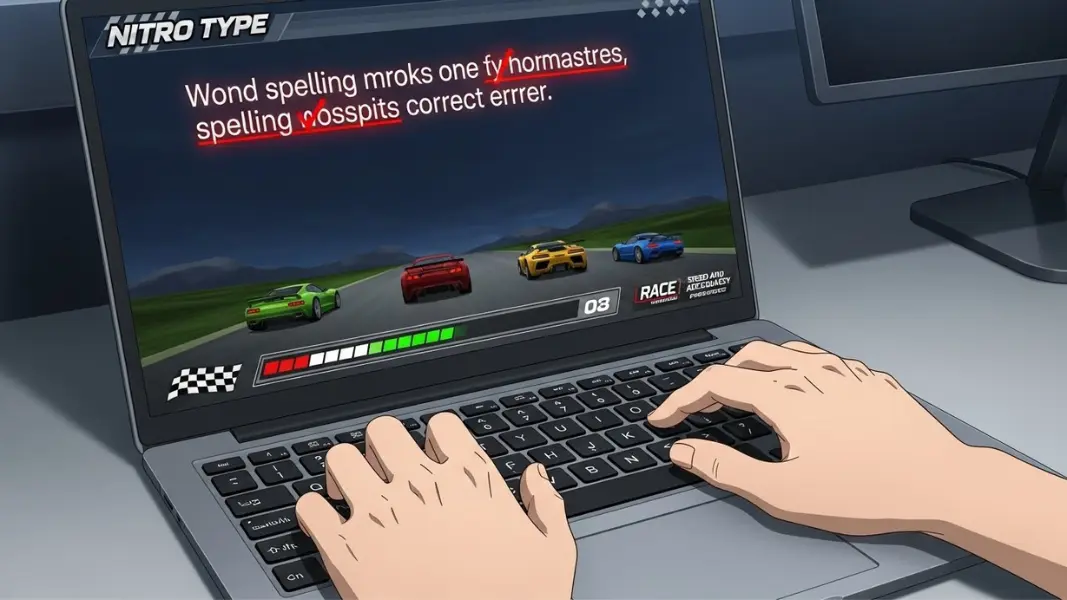
This creates a “stop and go” pattern. It ruins your typing rhythm and keeps your car from moving smoothly in games like Nitro Type. It also takes more time to hit backspace than it does to type the correct letter in the first place. For every one error, you have to hit at least two extra keys. This adds up very quickly and lowers your final speed.
To avoid this, try to practice without using the backspace key at all. Some typing programs allow you to turn off the backspace function. This forces you to be very careful with every single stroke. It trains your brain to value the first attempt. Once you stop relying on backspace, you will notice that you naturally start to hit the correct keys more often.
Are you ignoring the importance of the home row?
The home row is the middle row of keys where your fingers should rest. For the left hand, these are A, S, D, and F. For the right hand, these are J, K, L, and the semicolon. Many people move their hands all over the keyboard. They might use their index finger for a key that should be hit by their pinky. This lack of structure leads to many mistakes.
The home row acts as an anchor for your hands. If your fingers always start from the same spot, they always know how far they need to move to reach other keys. If your hands are constantly drifting, your brain loses its sense of distance. This is why you might hit a “Y” instead of a “T” or a “C” instead of a “V.”
Always use the small bumps on the F and J keys to find your home row position. These bumps are there for your sense of touch. If you feel those bumps, you know your hands are in the right place. Keeping your fingers on the home row is the single best way to improve your spatial awareness of the keyboard.
Why is an uneven typing rhythm a problem?
Typing rhythm is the timing between your keystrokes. Many people type very fast on easy words like “the” or “and.” Then, they slow down significantly for harder words. This creates an uneven, jerky pace. This change in speed often causes the fingers to get ahead of the brain. You might start typing the next word before you have finished the current one.
An uneven rhythm leads to letter transpositions. This is when you type “teh” instead of “the.” It happens because your fingers are moving at different speeds. To fix this, you should try to type with a steady, metronome like beat. Every letter should take the same amount of time to press.
At first, you will have to type your easy words a bit slower to match your hard words. This might feel frustrating, but it is very effective for accuracy. Once you have a steady rhythm, you can slowly increase the speed of that rhythm. A smooth and consistent pace is much faster over a long period than fast bursts of speed followed by mistakes.
How can you fix common letter transposition errors?
Transposition errors happen when you type the right letters but in the wrong order. This usually happens with common letter pairs like “ie” or “ei.” It can also happen when both hands are working at the same time. If your left hand moves slightly faster than your right hand, the letter from the left hand will appear first.
The best way to fix this is through deliberate practice. Identify the specific words that you always flip. Spend a few minutes typing those words very slowly. Focus on the exact order of the letters. You are trying to overwrite the bad habit in your muscle memory with a new, correct one.
You should also pay attention to your “hand balance.” If one hand is much stronger or faster than the other, it will cause errors. Try to make sure both hands are equally relaxed and ready to move. Balanced hands lead to balanced typing. This reduces the number of flipped letters in your final text.
What role does muscle memory play in avoiding mistakes?
Muscle memory is the ability of your body to perform a movement without conscious thought. It is the same thing that allows you to walk or ride a bike. In typing, muscle memory is what lets you find the letter “P” without thinking about where it is. This is a very powerful system, but it can also store mistakes.
If you have been typing with bad form for years, your muscle memory has stored those errors. You might always hit the “M” key with the wrong finger. To fix your mistakes, you have to retrain your muscle memory. This takes time and repetition. You have to perform the correct movement hundreds of times to replace the old one.
This is why short, daily practice is so important. Your brain builds these connections while you sleep. If you practice for ten minutes every day, your muscle memory will grow steadily. If you try to practice for five hours once a month, your brain will not store the information as well. Consistency is the key to building a mistake free memory.
How do you balance speed and accuracy effectively?
Finding the balance between speed and accuracy is a constant challenge. If you only focus on being perfect, you will be very slow. If you only focus on being fast, you will be very messy. The goal is to find your “optimal error rate.” This is usually around ninety seven or ninety eight percent accuracy.
If your accuracy is higher than ninety nine percent, you are probably typing too slow. You should try to push your fingers a little bit faster. If your accuracy falls below ninety five percent, you are typing too fast. You should slow down and focus on your precision. This balance changes as you get better.
In games like Nitro Type, the race environment naturally pushes you to go fast. This is a great way to test your limits. However, you should also spend time doing “accuracy races” where you do not care about your rank. Use these races to recalibrate your brain. Staying in that sweet spot between speed and precision is how you reach the top of the leaderboards.
What are the best ways to practice for error free typing?
The best way to practice is to use tools that give you immediate feedback. When you see a red letter the moment you hit it, your brain learns to avoid that mistake. Programs that track your specific “problem keys” are very helpful. They can show you that you miss the “B” key more often than any other key. You can then spend time practicing words that have the letter “B.”
You should also practice with different types of text. Do not just type easy sentences. Try typing paragraphs with numbers, punctuation, and capital letters. Many people make more mistakes when they have to use the Shift key. Practicing these difficult symbols will make you a more well rounded and accurate typist.
Finally, remember to take breaks. Typing for a long time can lead to “mental fatigue.” When your brain gets tired, your accuracy is the first thing to go. If you notice you are making more mistakes than usual, step away from the keyboard for five minutes. Rest your eyes and stretch your fingers. You will find that you are much more accurate when you return.
Conclusion
Mastering the keyboard is a journey that never truly ends. Even the best typists in the world make mistakes occasionally. The difference is that they have the techniques to minimize those errors. They use the home row, they maintain a steady rhythm, and they trust their muscle memory. They understand that accuracy is the most important part of the skill.
By identifying your own common mistakes, you have already taken the first step toward improvement. Whether it is looking at your hands or sitting with poor posture, these habits can be changed. It requires patience and a willingness to slow down. But the reward is a faster, smoother, and more enjoyable typing experience.
As you continue to use Nitro Type and other tools, keep your focus on precision. Let your speed be a natural result of your accuracy. If you hit the right keys every time, the speed will come on its own. Your fingers will become a bridge between your mind and the digital world. The more you practice correctly, the shorter that bridge becomes.