Mariam Al Zaabi is seventeen and preparing for university entrance examinations. She lives in Abu Dhabi’s Khalidiyah neighbourhood, attends a private school near Corniche, and spends roughly three hours a day studying subjects she actually understands and another two trying to work out what she doesn’t. The two hours are where most of the real learning happens, and until recently they were the loneliest hours of her day.
Her textbooks didn’t know which parts she’d misunderstood. Her teachers were available during school hours and sometimes not even then. Tutors cost money her family spent carefully. She described her relationship with chemistry the way people describe a difficult acquaintance: she understood it well enough in class, but left to her own devices, the understanding dissolved.
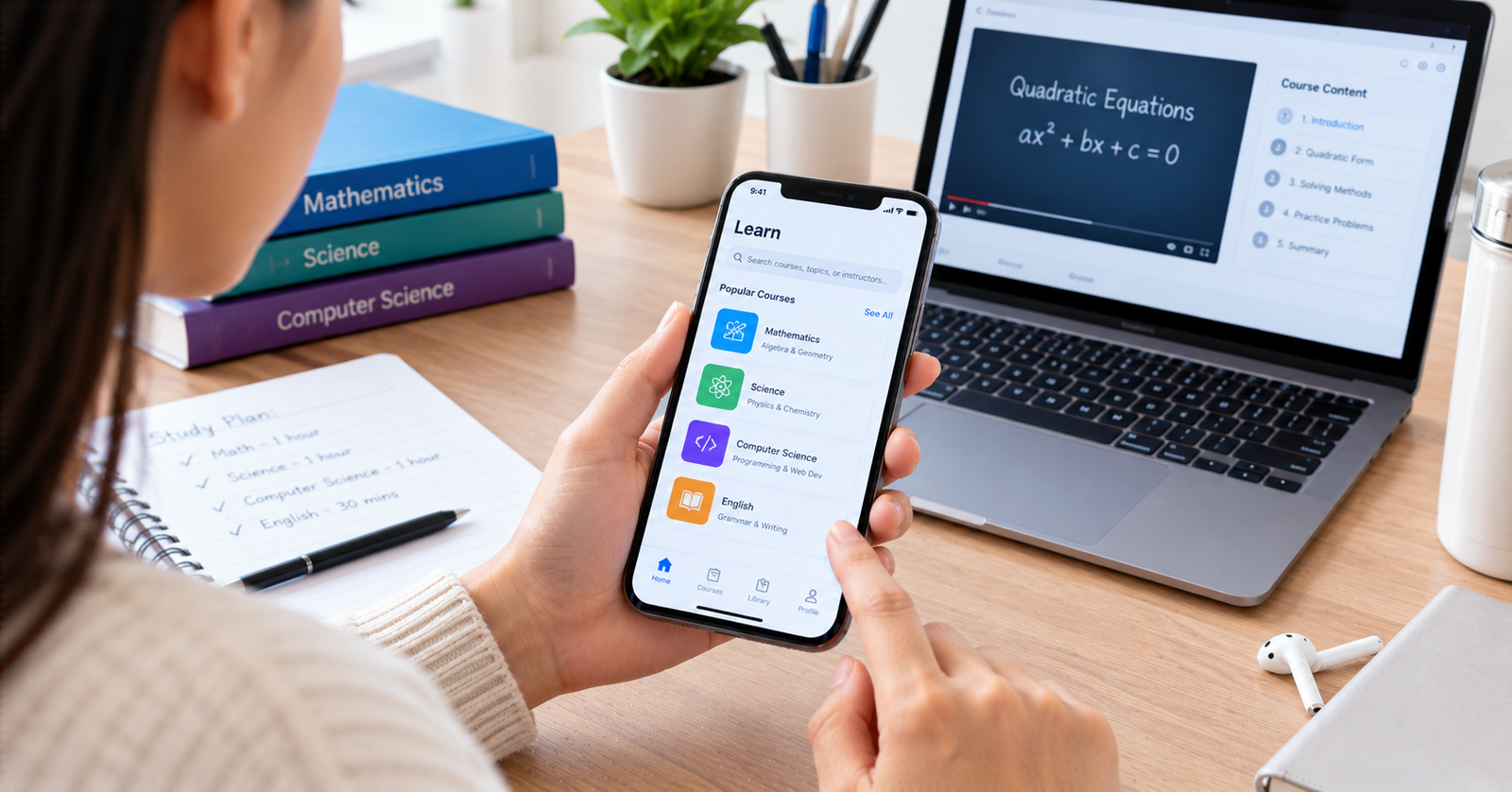
Then her school began recommending specific iOS apps as part of its digital learning initiative, following guidance from a curriculum development team that had consulted an iOS App development company on what was realistic to integrate into a school setting. Mariam started using three of them regularly. One explained concepts through short animated videos she could pause and rewatch as many times as needed. One generated fresh practice questions on any topic she selected and explained each answer in detail. One kept a record of every error she made across every practice session and used that record to resurface the same concepts in different forms until she stopped making the mistake.
She told me she still doesn’t love chemistry. But she passed her mock examination with a grade she hadn’t managed before, and for the first time she felt like she understood why she got the questions right rather than hoping she’d guessed correctly.
What changed wasn’t her intelligence or her effort. What changed was the quality of the feedback she received when she worked alone, and the availability of that feedback at 10 p.m. on a Wednesday when no teacher was reachable and no tutor was affordable.
The Structural Problem That iOS Apps Are Slowly Fixing
Education has a fundamental scalability problem that technology didn’t create and can’t fully solve but can significantly reduce.
A skilled teacher in a classroom of thirty students is doing something extraordinary: synthesizing thirty different levels of understanding, thirty different rates of learning, thirty different prior knowledge bases, and thirty different attention spans into a single delivery that somehow serves all of them adequately. The extraordinary part is how often it works reasonably well. The structural problem is that “reasonably well” represents a significant compromise for the students at the extremes: the ones who understood the concept ten minutes ago and are waiting, and the ones who are still lost from something explained two weeks earlier.
Personalised learning at scale is the educational ideal that has resisted solution for as long as education has existed as a formal institution. The one-to-one tutoring relationship is where it’s been solved, which is why families who can afford individual tutoring reliably produce students with stronger academic outcomes. The tutor adjusts in real time, follows the student’s confusion precisely, provides feedback immediately, and returns to foundational gaps before continuing.
iOS apps, when they’re designed with genuine educational intention rather than engagement optimization, begin to replicate some of those tutoring behaviors at a cost per student that changes who has access to them. Khan Academy’s mastery-based progression, Photomath’s step-by-step equation explanations, Quizlet’s adaptive spaced repetition, and Notability’s annotation layer over PDF documents are each addressing a specific part of the gap between classroom instruction and the individual learning that needs to happen after the classroom.
The iPhone in the Classroom: What Research Actually Shows
The research on student smartphone use in educational settings is more nuanced than the simplest version of either side of the debate.
Studies that find negative effects on learning almost universally find them in contexts where students have unrestricted access to social media, games, and entertainment during class time. The cognitive load of deciding not to check Instagram while a teacher explains quadratic equations is real and documented. The device presence alone, even face-down on a desk, has been shown in some research to reduce available working memory for the task at hand.
Studies that find positive effects on learning almost universally find them in contexts where specific educational tools are integrated into structured activities with clear purpose. A student using GoodNotes to annotate a lecture, Quizlet to review vocabulary before a language class, or Explain Everything to present a project to peers is using the same hardware to do something qualitatively different from passive scrolling.
The evidence doesn’t argue for or against phones in schools. It argues for intentional design of how the phone is used in each learning context, which is a more demanding requirement than a simple policy answer provides.
Apple’s education ecosystem has invested significantly in the structured use case. iPad and iPhone in educational settings come with screen time controls, classroom management through Apple School Manager, content filtering, and supervised mode options that limit what students can access on a school-managed device. These tools don’t replace policy and teacher judgment but they reduce the gap between intended and actual use.
Language Learning and the App That Travels With You
Language learning is the domain where iOS apps have arguably made the most visible difference to how students learn, because the practice requirement of language acquisition, which is hours of exposure and production rather than a finite content set to master, maps well to a device that travels everywhere.
Duolingo has over five hundred million users globally and is many students’ first experience of a gamified learning environment. Its streak mechanic, XP points, and league system create engagement that has turned casual language interest into sustained daily practice for millions of people who would not have maintained equivalent discipline through traditional study alone.
Babbel structures its iOS experience around conversation practice, presenting dialogue scenarios in short sessions designed to build vocabulary and grammar in context rather than through isolated rule memorization. Pimsleur built its approach around audio-first learning that works during commutes, walks, and other moments when a screen isn’t practical. These are different pedagogical philosophies serving different learning styles on the same platform.
For the significant population of students in the UAE and wider Gulf region who are navigating Arabic-English bilingualism alongside English-medium academic instruction, apps that support code-switching, Arabic language development, and English academic vocabulary in formats calibrated to that specific learner situation represent a gap the market is still filling.
Mathematics: From Photomath to Conceptual Understanding
Mathematics apps on iOS divide into two categories that reflect a genuine tension in mathematical education.
The first category does the calculation and shows the work. Photomath allows students to photograph a handwritten or printed equation and receive a step-by-step solution. Wolfram Alpha solves problems across calculus, statistics, and algebra with detailed working. Symbolab provides similar functionality with graphical representations. These tools are powerful, genuinely useful for learning when used correctly, and frequently misused by students who copy the answer rather than understanding the process.
The second category requires the student to do the thinking. Khan Academy presents worked examples and then requires practice problems solved independently, with immediate feedback but no shortcutting to the answer. Brilliant builds mathematical and scientific reasoning through interactive problem sets that emphasize intuition over procedure. DragonBox and similar games teach algebraic manipulation through puzzle mechanics that make the logic visible without naming it as algebra until the student has already internalized the behavior.
The most effective integration of both is what good mathematics teachers do: allow calculators and computational tools for the calculation components while ensuring that understanding, not just procedure, is assessed. Apps that support this approach, where the computational power is available but the conceptual question is still asked, are more educationally valuable than apps that remove both the computation and the concept.
Note-Taking, Organization, and the Paper Replacement That Improved on the Original
The physical notebook is a good learning tool. Its limitations are specific: notes can’t be reorganized, searched, or shared easily, attachments are impossible, drawings exist separately from text, and revision requires rewriting rather than reformatting.
GoodNotes and Notability are the two iOS note-taking apps that most commonly appear in university student surveys as having changed their learning behavior. Both combine handwriting with typed text, photo attachment, audio recording synchronized to note timestamps, and PDF annotation in a single interface. A lecture recorded and linked to the notes taken during it becomes a resource with a depth that a recording alone or notes alone don’t match.
The organizational dimension matters for students managing multiple subjects across multiple years. Search across all notebooks by keyword, organized by course and date, with the ability to export as PDF for sharing or submission, turns a note-taking practice into a retrievable knowledge base rather than an archive of unread pages.
For students with dyslexia, dysgraphia, or other conditions that make handwriting difficult, the ability to type, dictate, or use predictive text within a note-taking interface removes a barrier that physical notebooks impose regardless of how well the student understands the content.
Science, History, and the Subjects That Benefit From Visual Depth
Some subjects have always suffered from the limitations of the textbook: the static diagram, the two-dimensional representation of a three-dimensional structure, the inability to animate a process that is fundamentally dynamic.
iOS apps that use augmented reality, interactive three-dimensional models, and animation have changed what it looks like to study certain subjects. Human Anatomy Atlas gives students manipulable three-dimensional anatomical models that can be rotated, zoomed, and layered by body system. Solar Walk shows the solar system in real-time three-dimensional representation with distances and planetary movement. The Elements by Theodore Gray made the periodic table explorable as a visual and tactile experience before most schools had adapted their teaching to take advantage of it.
History and geography benefit from apps that embed primary sources, timelines with layered detail, and interactive maps that show change over time. Reading about the Ottoman Empire’s territorial reach is a different cognitive experience from watching it animate across a map spanning four centuries.
These are not replacements for foundational understanding. A student who uses an anatomy app without having learned the relevant terminology from a textbook or course will navigate it without understanding it. But for the student who has the foundation and needs the visual to solidify it, the depth of representation available on an iOS app is genuinely something new.
Building Educational iOS Apps: What the Development Side Looks Like
For institutions, EdTech startups, and educators considering building for the iOS education market, the development considerations are specific to the context in a few ways that distinguish it from general consumer app development.
The Apple School Manager and managed Apple ID ecosystem determines how apps are distributed to students in institutional settings, which affects what information the app can collect, how accounts are managed, and what the update process looks like when the app is deployed across hundreds of devices by an IT administrator rather than installed individually. Building for this environment requires familiarity with Apple’s Volume Purchase Program and the specific technical constraints of supervised mode.
Accessibility is a regulatory and ethical requirement rather than a nice-to-have for any app intended for educational use by minors. VoiceOver support, Dynamic Type responsiveness, color contrast compliance, and switch control compatibility each serve specific student populations who would otherwise be excluded. Apple’s accessibility guidelines for educational apps are more specific than the general developer guidelines and worth reading before the design phase.
COPPA compliance in the United States, GDPR-K under UK and European frameworks, and UAE data protection provisions for apps handling student data under the age of majority create a compliance layer that affects what data the app can collect, how consent is obtained, what parental controls must exist, and how data must be stored and deleted on request.
iOS App development cost for educational applications typically starts higher than consumer apps in the same category because of these compliance requirements and the institutional integration work. A focused educational app with content delivery, progress tracking, and basic personalization for a single subject might start around thirty-five to sixty thousand dollars. A platform with adaptive learning algorithms, teacher dashboards, school administrator controls, multiple subject areas, and managed deployment compatibility often reaches between one hundred and two hundred thousand before content production is factored in. Content production, the actual instructional material, is a separate and significant cost that many institutions underestimate by treating it as something that happens after the technology is built.
Mariam’s Examination Results
Mariam received her chemistry results four months after our first conversation. She passed with a grade she described as proof of something rather than luck, which is a distinction that matters to a student who has spent two years uncertain whether she understood the material or was guessing successfully.
She told me the most useful thing the apps gave her wasn’t content. She’d had content before. What they gave her was the ability to know what she didn’t know, specifically and immediately, rather than discovering it on the examination paper.
The specific and immediate nature of the feedback is what distinguishes good educational technology from bad. A teacher who marks a paper and returns it a week later provides feedback. An app that identifies a pattern of errors in a student’s work and resurfaces those concepts in a new form before the next study session provides feedback at a different order of effectiveness.
Mariam is applying to study biomedical sciences at a university in Abu Dhabi. She thinks the chemistry is going to be harder. She’s not worried about it the way she was before, because she now has a different relationship with not understanding something. Not understanding is the beginning of the process. She has tools that help her move through it. That change in how she relates to confusion, more than any specific content she learned, might be the most valuable thing the apps gave her.
That’s a modest and accurate description of what good educational technology does. Not learn for you. Give you better tools for the learning you have to do anyway.